If you have applied for Annapurna Bhandar / Annapurna Yojana in West Bengal and are waiting to know whether your application has been approved, is still under verification, or whether your monthly payment has been released, checking the status online is the most practical first step.
The scheme was officially notified by the West Bengal government in May 2026 as Annapurna Yojana. Under the notification, eligible women aged 25 to 60 can receive ₹3,000 per month through Direct Benefit Transfer (DBT) into an Aadhaar-linked bank account, subject to the scheme’s conditions. The notification also says that applications are subject to government enquiry and verification before sanction.
The important point is that application status and payment status are not necessarily the same thing. An application can be approved while a particular month’s payment is delayed or encounters a banking/DBT issue. Therefore, if the money has not arrived, checking only your bank balance may not tell you what happened.
This guide explains how the Annapurna Bhandar status check works, where to check it, what information you may need, how to understand common status messages, and what to do if your payment has not been credited.
Important: Use the official West Bengal government portals for status checking. Do not give your Aadhaar number, bank details, OTP, password, or other sensitive information to an unknown website, agent, caller, or social-media account.
What Is Annapurna Bhandar?
The name Annapurna Bhandar is commonly used when referring to the West Bengal government’s Annapurna Yojana. The formal government notification is titled Annapurna Yojana, and it provides monthly financial assistance to eligible women in the state. The scheme became effective from June 1, 2026, according to the May 19 notification.
The notification specifies a monthly assistance amount of ₹3,000, paid through DBT to an Aadhaar-linked bank account in the beneficiary’s name. It also establishes a verification process for new applications, involving authorised officials and, depending on the location, BDO, SDO, District Magistrate or Kolkata Municipal Corporation authorities.
Because the official scheme name is Annapurna Yojana, you may see both terms online:
- Annapurna Bhandar
- Annapurna Yojana
- Annapurna Bhandar Scheme
- Annapurna Status
- Annapurna Yojana Status
For someone trying to track an application, these terms generally refer to the same West Bengal welfare scheme in this context.
Annapurna Bhandar Status Check: Quick Method
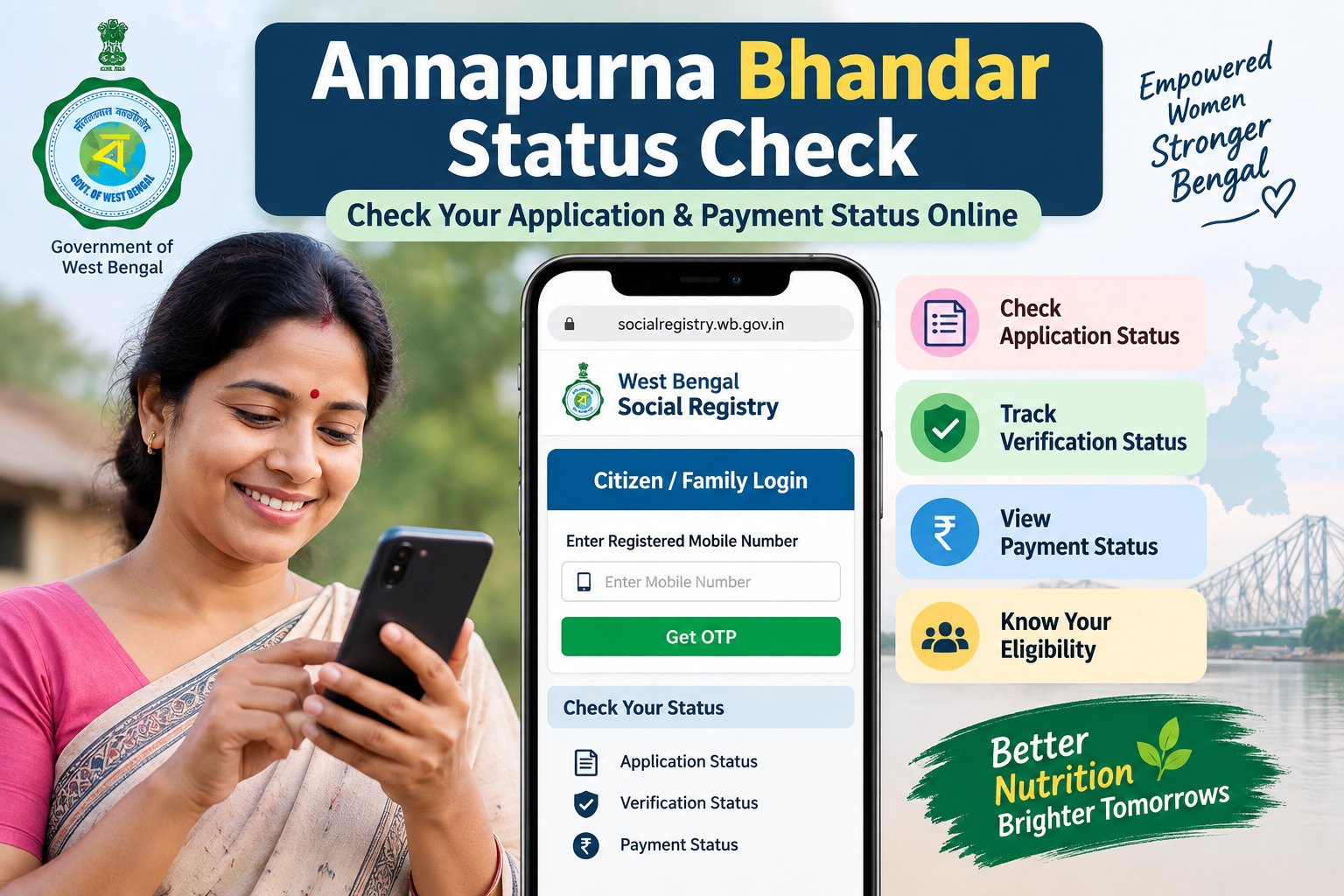
If you have already submitted an application, the current West Bengal government Social Registry portal provides a citizen login where applicants can check their application status and file grievances. The portal states that citizens can log in using the mobile number used for the application and an OTP.
Step-by-step process
Step 1: Open the official citizen portal
Use the official West Bengal Social Registry / Family Level Data Collection Portal:
The portal identifies itself as a Government of West Bengal service and says it is designed by the National Informatics Centre, with content, data, process and operation maintained by the Finance Department, Government of West Bengal.
Step 2: Select Citizen / Family Login
The public-facing portal has a Citizen / Family Login option. This is the section intended for citizens rather than the restricted department-officer login.
Step 3: Enter your registered mobile number
Use the mobile number associated with your application.
Step 4: Verify with OTP
An OTP is sent to the registered mobile number. Enter it to access the citizen portal.
Step 5: Open the relevant application/status section
After logging in, look for the application or status-related option associated with Annapurna Yojana.
Step 6: Review the current status
Depending on the stage of processing, your application may show a status indicating submission, verification/enquiry, approval, rejection, or another processing stage.
The exact wording and layout of the portal can change, so rely on the status shown inside the official portal rather than screenshots circulating on social media.
What Information Do You Need for Annapurna Status Check?
Before starting the process, keep the information associated with your application available.
You may need:
- Registered mobile number
- OTP received on that mobile number
- Application/reference information
- Aadhaar-related information, where requested by the official portal
- Application acknowledgement or submitted-form details
Do not assume that every third-party website asking for an Aadhaar number or bank account number is legitimate.
The official Social Registry portal specifically provides citizen access through the applied mobile number and OTP.
What Does Your Annapurna Application Status Mean?
One of the most confusing parts of a government-benefit application is interpreting the status message.
A status is not simply a message saying whether money has arrived. It can represent a particular stage of the administrative process.
Submitted
A Submitted status generally indicates that the application has been submitted into the system but has not yet completed the subsequent verification or approval process.
Do not assume that “Submitted” means approved.
If the application remains at this stage, continue checking the official portal for updates.
Under Process
An application marked Under Process generally indicates that processing is continuing.
This does not necessarily mean that the application has been rejected. The government notification says applications are subject to enquiry and verification before eligible applicants are recommended for sanction.
Under Enquiry
An Under Enquiry status should not automatically be interpreted as a final rejection.
The official scheme process includes enquiry and verification of applications before eligible cases are recommended for sanction.
If your application remains under enquiry, avoid submitting duplicate applications simply because the status has not changed. Instead, check the official portal and, if necessary, contact the government office responsible for your area.
Approved
An approved status generally indicates that the application has successfully passed the relevant approval process.
However, approved does not necessarily mean that a particular month’s payment has already reached your bank account.
Payment through DBT involves a separate financial-transfer stage, so an approved application can still experience a payment delay.
Rejected
If the portal shows Rejected, do not rely on a social-media post to determine why.
The reason shown in the official portal, or information provided by the responsible government office, is more useful because rejection can be related to specific application or eligibility information.
Check whether the portal provides a reason, correction option, grievance mechanism, or fresh-application instruction.
Annapurna Bhandar Payment Status Check
Many people search for Annapurna Bhandar status check because their application appears to be accepted but the ₹3,000 payment has not appeared in their bank account.
This is where it is useful to separate three questions:
- Was the application submitted?
- Was the applicant approved?
- Was the payment successfully credited?
These are different stages.
The government’s notification says the ₹3,000 assistance is to be transferred by DBT to the Aadhaar-linked bank account in the beneficiary’s name.
Therefore, if your application is approved but the money has not arrived, check the following.
Check your bank account
Look at your bank statement, passbook, ATM balance, or official bank application.
Do not rely exclusively on an SMS because banking notifications can occasionally be delayed.
Check Aadhaar-bank linking
Since the scheme uses DBT to an Aadhaar-linked bank account, problems with account linkage or payment processing can affect the transfer.
If you are unsure whether your account is properly linked for DBT, ask your bank to verify the relevant status.
Check whether the bank account is active
A dormant, frozen, restricted, or otherwise problematic account can create payment difficulties.
If your account has changed recently, verify that the account recorded for the benefit is still active and correctly associated with your beneficiary information.
Check the application portal again
A missing payment does not by itself establish that your application has been rejected.
First check the official application/payment information available to you.
Recent reporting has also documented cases of beneficiaries waiting for instalments and being advised to check application status and DBT-related details rather than assuming that a delayed credit automatically means rejection.
Who Is Eligible for Annapurna Yojana?
The May 19, 2026 government notification sets out the main eligibility conditions.
According to the notification, the applicant must:
- Be a woman residing in West Bengal.
- Be between 25 and 60 years of age.
- Not be in specified permanent government employment receiving regular salary or pension.
- Not be an income-tax payer.
The notification also specifies the DBT payment mechanism and other conditions relating to existing beneficiaries.
Eligibility should always be checked against the latest official rules because government schemes can be amended.
What Happened to Existing Lakshmir Bhandar Beneficiaries?
The 2026 Annapurna Yojana notification states that existing Lakshmir Bhandar beneficiaries would be migrated to Annapurna Yojana, subject to the exclusions and verification conditions specified in the notification.
This is important because an existing beneficiary may not need to treat the process like an entirely new application.
If you previously received Lakshmir Bhandar assistance, check your current status rather than automatically submitting a duplicate application.
For an individual case, the official portal and the responsible local authority are the appropriate sources for confirmation.
Why Is My Annapurna Bhandar Payment Delayed?
There can be several reasons why an approved beneficiary does not immediately see money in the bank.
DBT processing issue
The payment may be going through the transfer process.
Aadhaar-bank issue
The account may not be correctly linked for the relevant DBT process.
Bank account problem
The account may be inactive, restricted, frozen, or otherwise unable to receive the transfer.
Verification not completed
If your application is still under verification or enquiry, payment may not yet be due.
Administrative processing
Government benefit payments can be processed in stages, so beneficiaries may not necessarily see credits at exactly the same moment.
Recent reporting in September 2026 noted that instalments were being released and that beneficiaries could check their bank balances to confirm receipt.
What to Do If Your Status Has Not Changed
If your application has been sitting at the same status for a long time, avoid repeatedly submitting new applications without instructions from an authorised office.
Instead:
First, check the portal again
Log in using the registered mobile number and OTP.
Second, save your application information
Keep your acknowledgement, application/reference number and submitted details.
Third, verify your bank information
If the application is approved but payment is missing, ask the bank to confirm the relevant Aadhaar/DBT status.
Fourth, contact the appropriate local office
The government notification describes a verification and recommendation process involving BDOs in rural areas, SDOs in urban areas, and Kolkata Municipal Corporation officials within KMC jurisdiction.
This means your local government office can be more useful for a case-specific problem than an unofficial website.
Do Not Share Your OTP With Anyone
This deserves special attention.
A person claiming to be an “Annapurna agent” may ask for:
- OTP
- Aadhaar number
- Bank account number
- ATM information
- UPI PIN
- Password
- Card details
You should not provide sensitive banking credentials or OTPs to unknown people.
An OTP is intended to authenticate you. It should not be handed over to someone who calls or messages you claiming that they need it to “release” your Annapurna payment.
Likewise, never enter your UPI PIN to receive a government benefit. A UPI PIN is used for authorising payments, not for receiving a welfare payment.
Official Portal vs Third-Party Status Websites
When searching Google for Annapurna Bhandar status check online, you may encounter many websites offering a “status check” button.
Some may simply explain the process, while others may redirect you elsewhere. That does not mean they are government portals.
The official Social Registry website identifies itself as a Government of West Bengal portal and provides citizen login functionality.
For personal application information, use the government portal whenever possible.
A third-party article can be useful for understanding the process, but it should not replace the official portal for your actual status.
Can You Check Annapurna Status From a Mobile Phone?
Yes. The official Social Registry portal provides a citizen login accessible through the web, and the portal states that citizens can check application status using their applied mobile number and OTP.
A smartphone with:
- Internet access
- Your registered mobile number
- Ability to receive SMS/OTP
is generally sufficient to begin the process.
If the website is temporarily slow or unavailable, try again later rather than entering your information into an unofficial site claiming to provide an alternative login.
Annapurna Bhandar Status Check: Simple Checklist
Before contacting an office, go through this checklist:
| What to check | Why it matters |
|---|---|
| Registered mobile number | Needed for citizen login/OTP |
| Application status | Shows the current processing stage |
| Approval status | Helps determine whether eligibility was sanctioned |
| Bank account | Payment is transferred through DBT |
| Aadhaar-bank linkage | Relevant to DBT credit |
| Application acknowledgement | Useful when contacting officials |
| Rejection/enquiry message | May explain the next step |
| Local office | Useful for unresolved case-specific issues |
This checklist can save time because it separates an application problem from a payment problem.
Common Mistakes During Status Checking
Using an unofficial website
The safest approach is to begin with the government portal.
Assuming delayed payment means rejection
A payment delay and application rejection are not automatically the same thing.
Submitting multiple applications
Duplicate applications can create confusion. Check your existing application first.
Sharing OTP
Never share your OTP with unknown individuals.
Ignoring bank details
An approved application still depends on the prescribed DBT mechanism for payment.
Trusting viral screenshots
Portal interfaces and status messages can change. Always verify your own status through the official system.
Conclusion
The Annapurna Bhandar status check process is useful because it helps applicants distinguish between an application that is still being processed, one that has completed verification, and a payment that is experiencing a separate DBT or banking issue.
The official scheme is known as Annapurna Yojana, and the May 19, 2026 notification specifies ₹3,000 per month for eligible women aged 25–60, with payment through DBT to an Aadhaar-linked bank account. Applications are subject to government enquiry and verification before sanction.